

Use your own API keys for OpenAI, Azure, and ElevenLabs to bypass Insighto usage charges and directly consume your own quotas. Insighto.ai gives you the flexibility to use your own API keys. This helps you bypass usage charges from Insighto for main and subaccounts when directly consuming your own quotas from these services.Documentation Index
Fetch the complete documentation index at: https://docs.insighto.ai/llms.txt
Use this file to discover all available pages before exploring further.
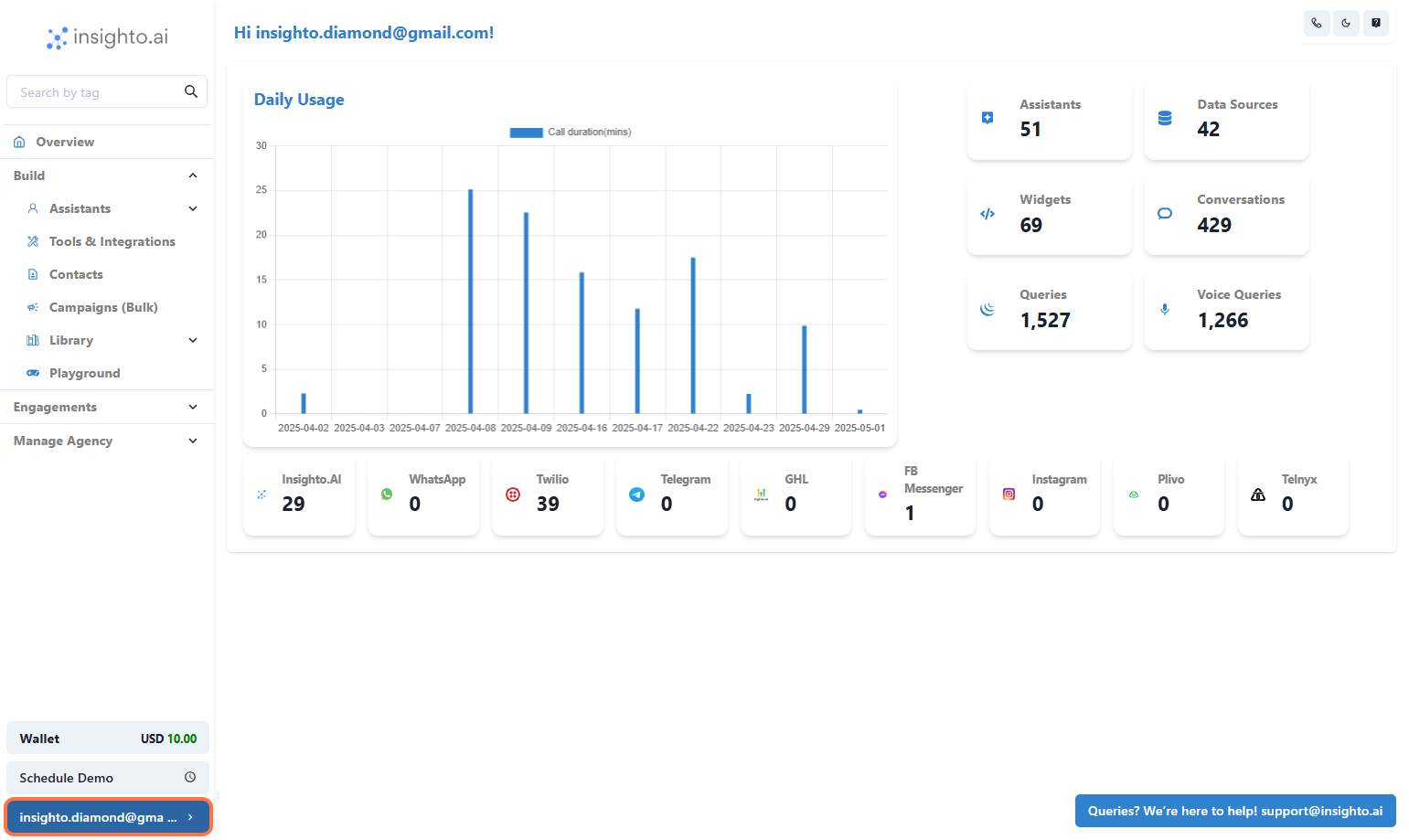
- Click on settings
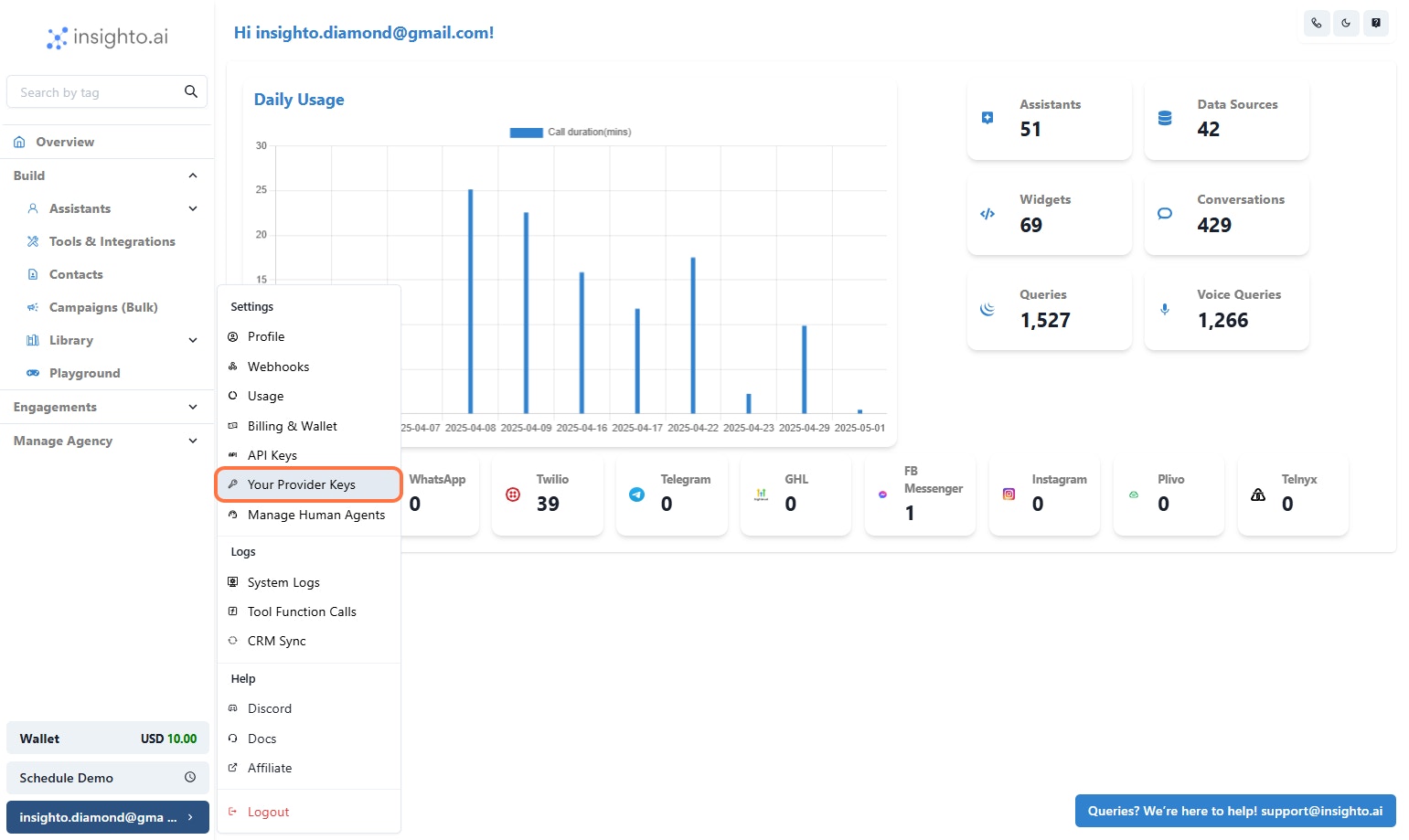
- Click on “Your Provider Keys”
- Understand Required API Keys for BYOK
- OpenAI API Key – Powers chat and AI responses.
- Azure Speech API Key – Enables text-to-speech and use Azure voices.
- ElevenLabs API Key – Needed only if using ElevenLabs for voices on Assistants.
(You can enter a placeholder likedummyif not using it.)
🔗 How to Get Your API Keys
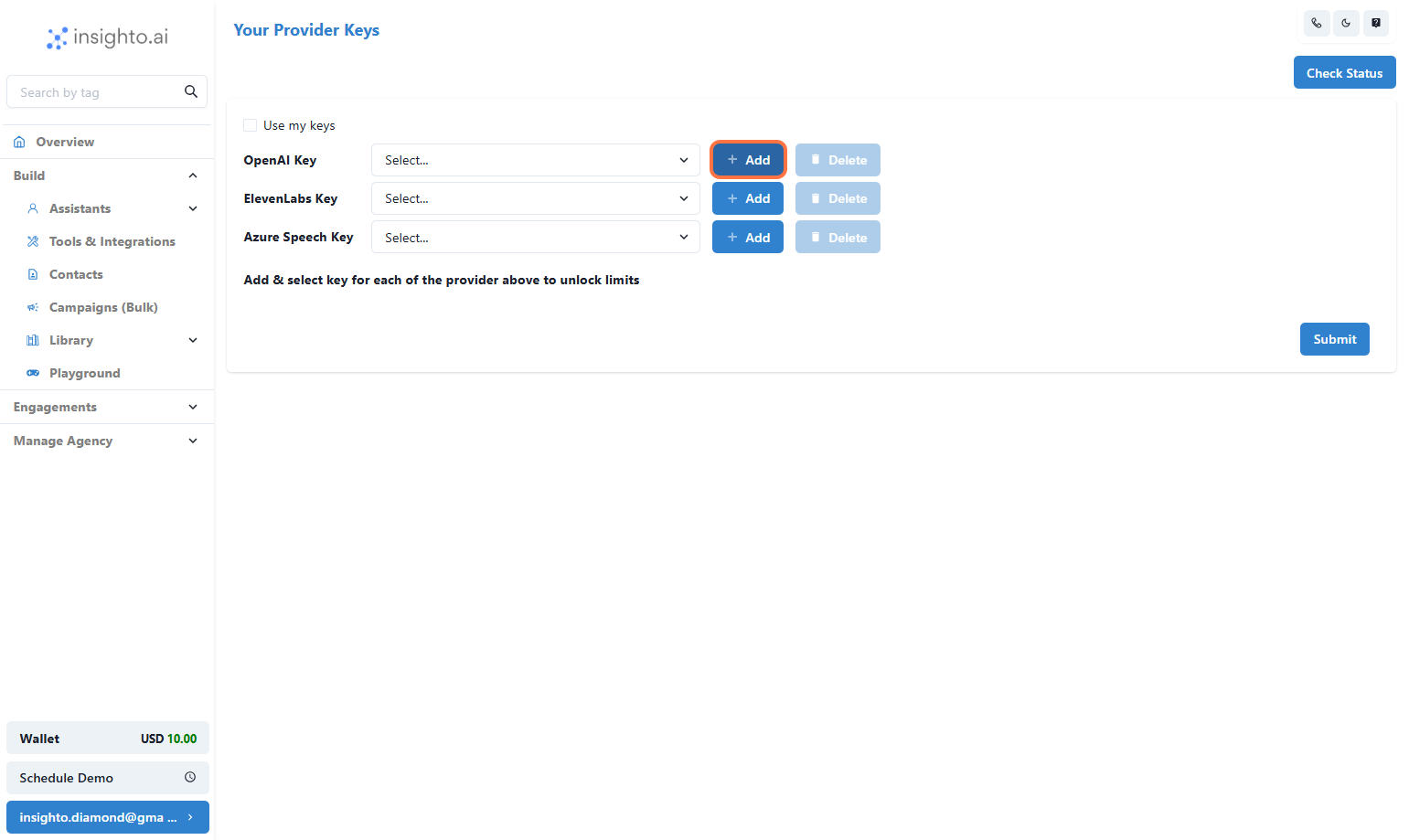
- Click the “Add” button next to OpenAI
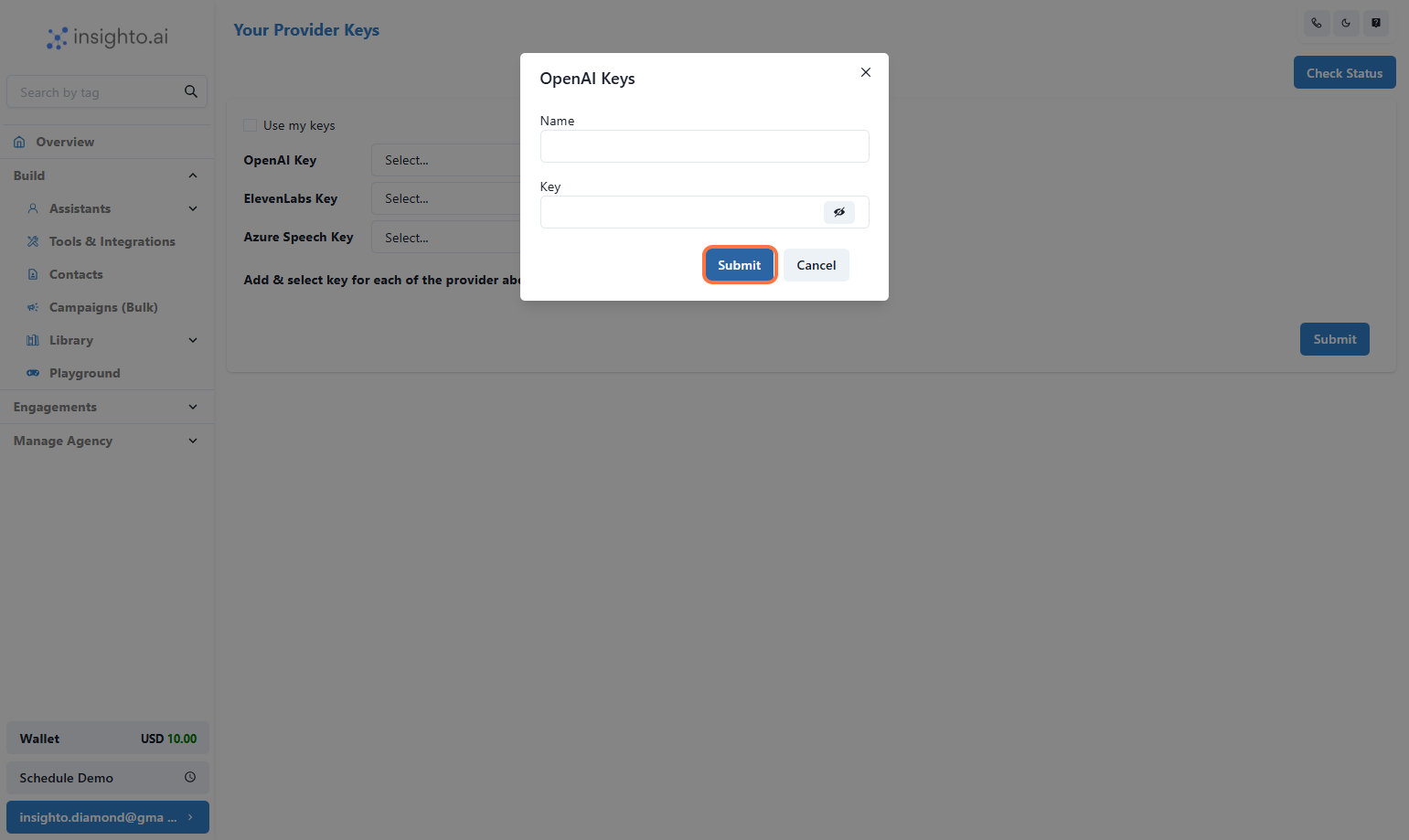
- Paste your key, Give a Name to the key and click “Submit”
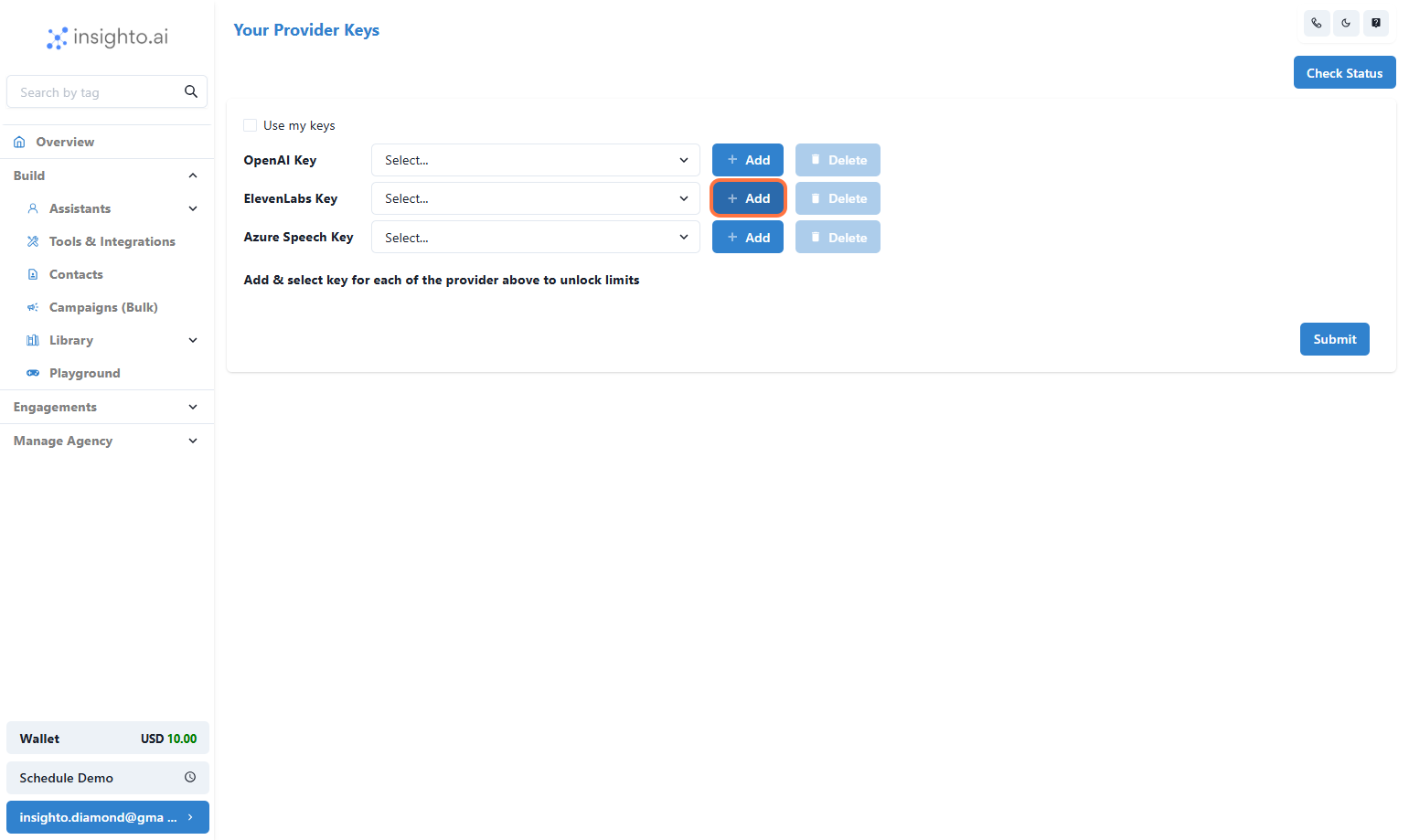
- Click the “Add” button next to ElevenLabs
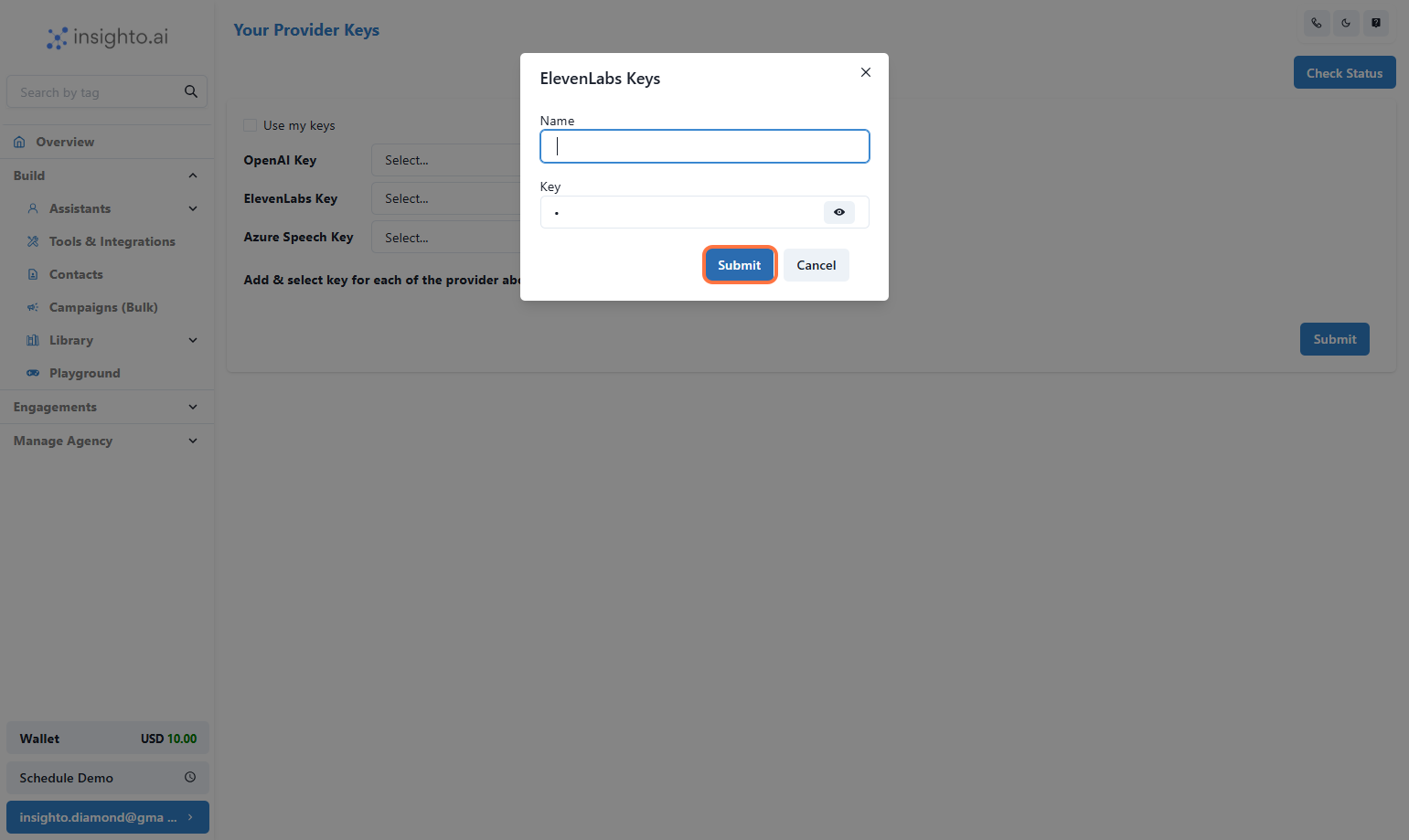
- Paste the key or enter dummy, then click “Submit”
dummy, then click “Submit”
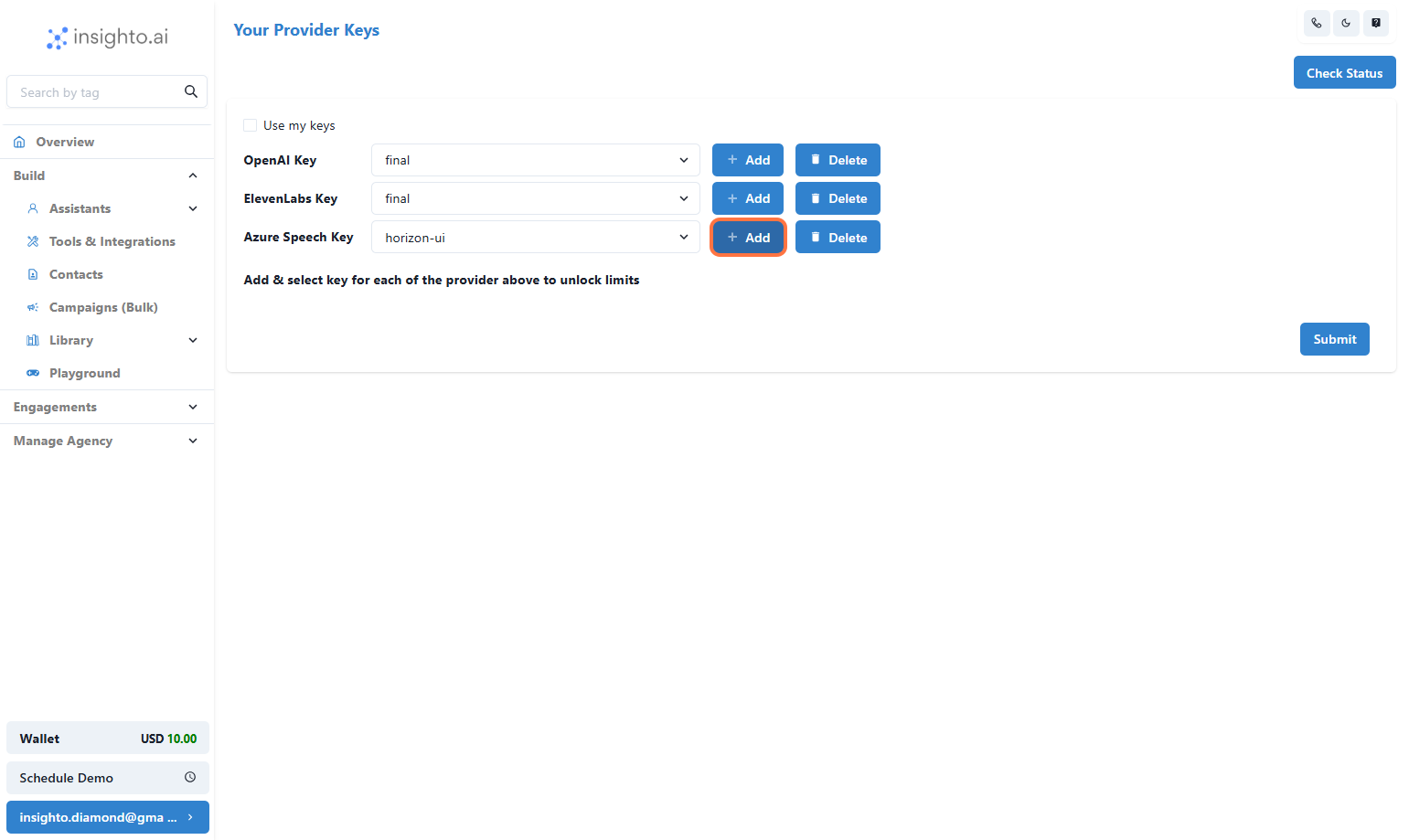
- Click the “Add” button next to Azure
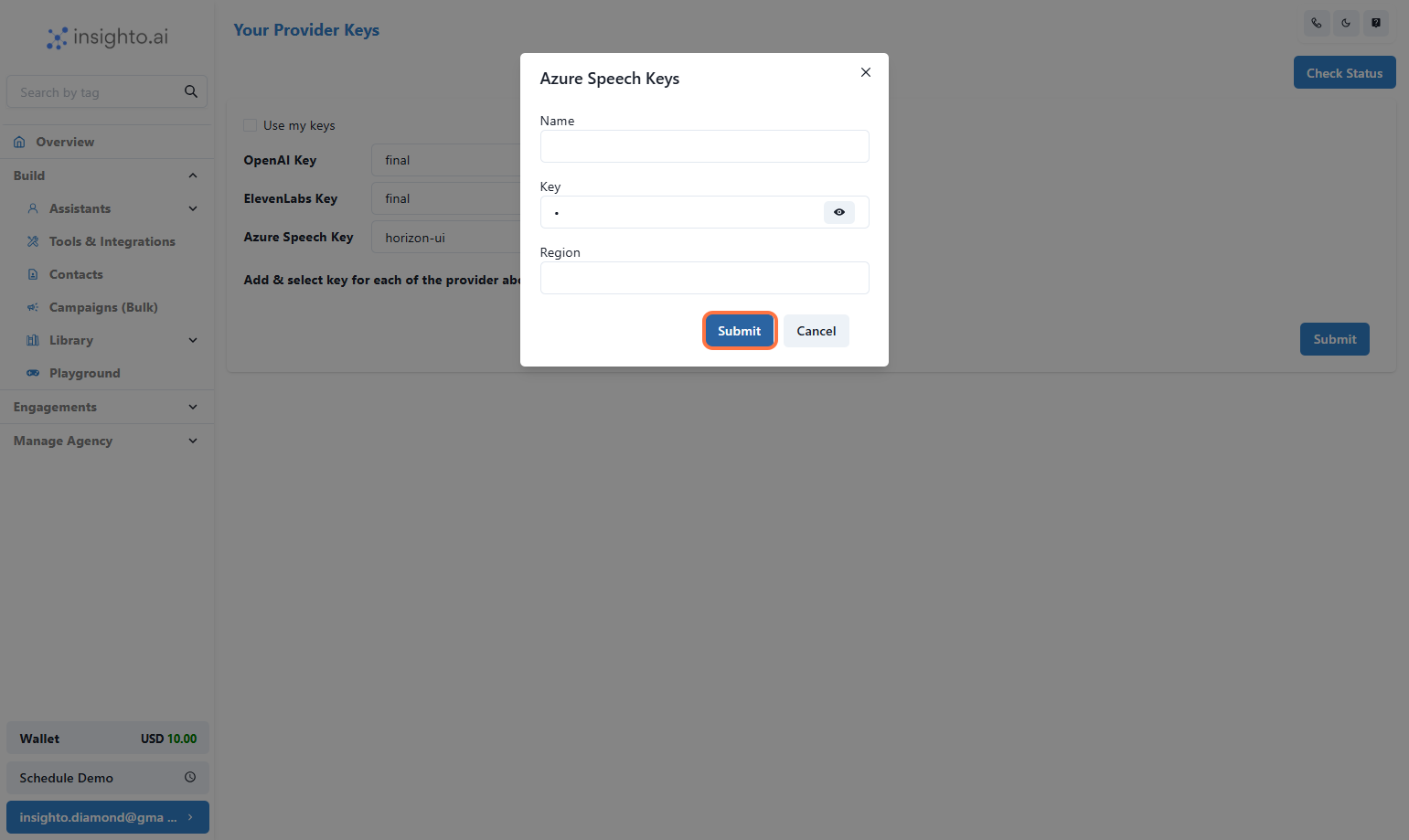
- Paste your key, Region, Name and hit “Submit”
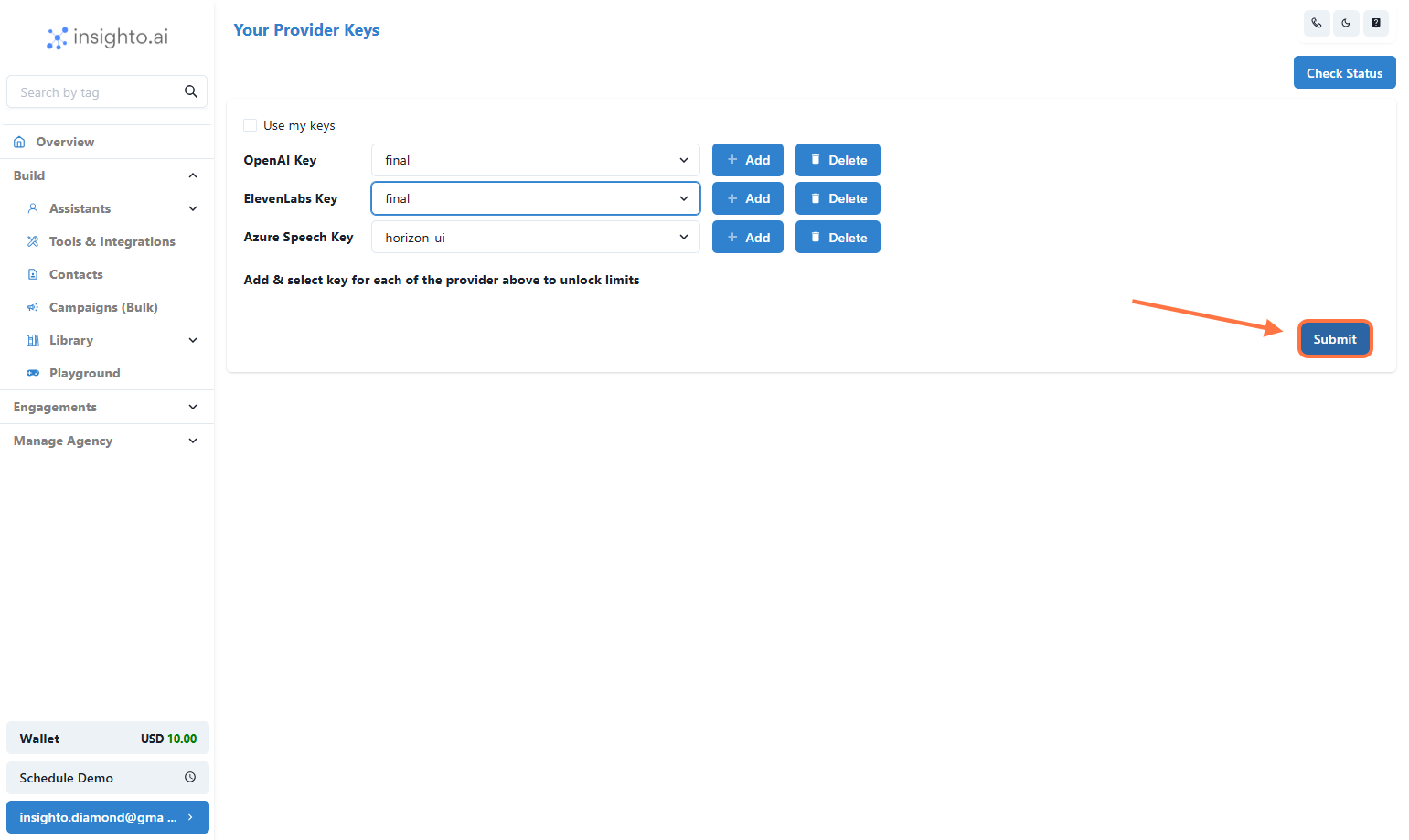
- Click the “Submit” button on the Provider Keys page
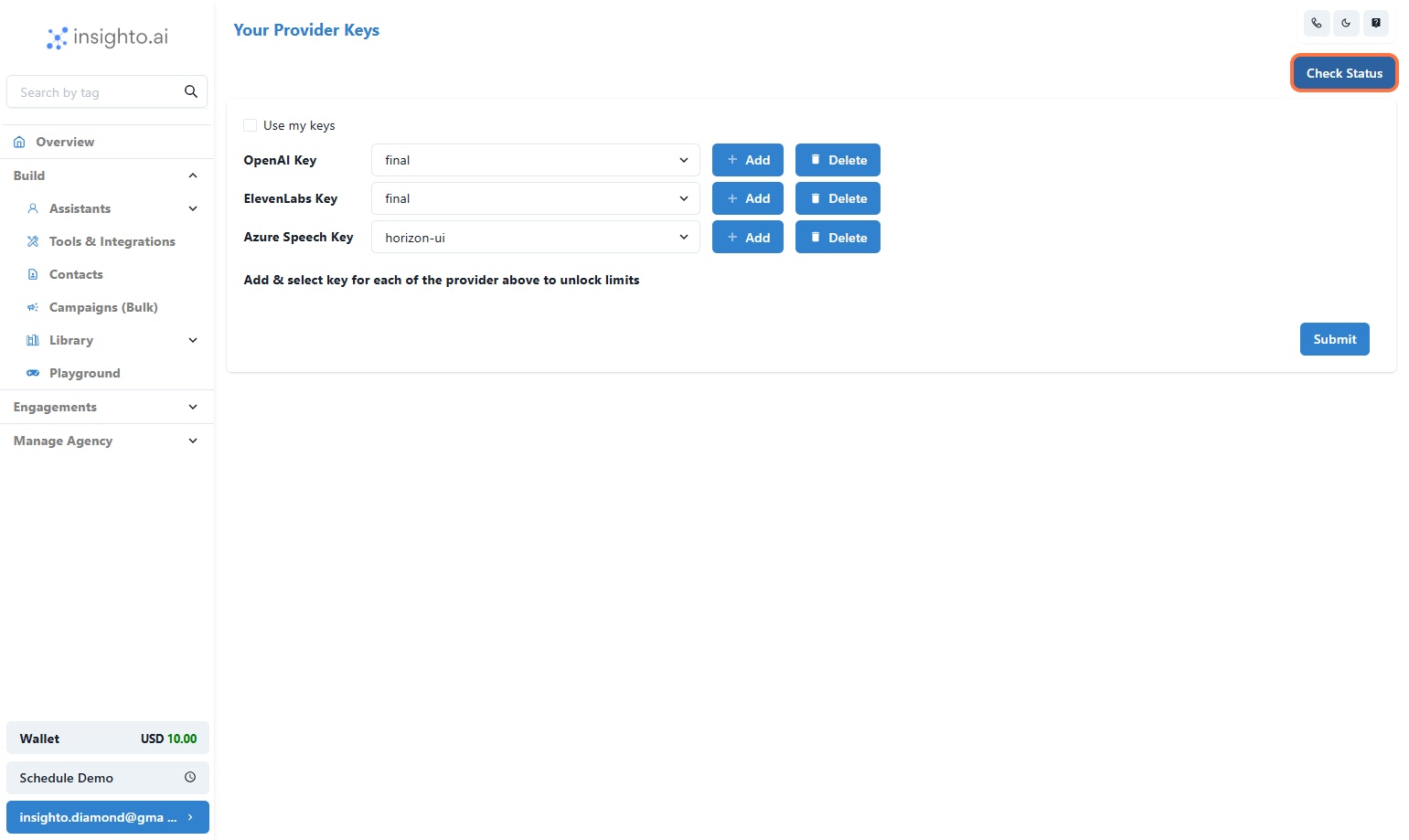
- Click “Check Status” to Verify Your Keys
❌ If there’s an issue, you’ll get an error indicating which key needs to be fixed.
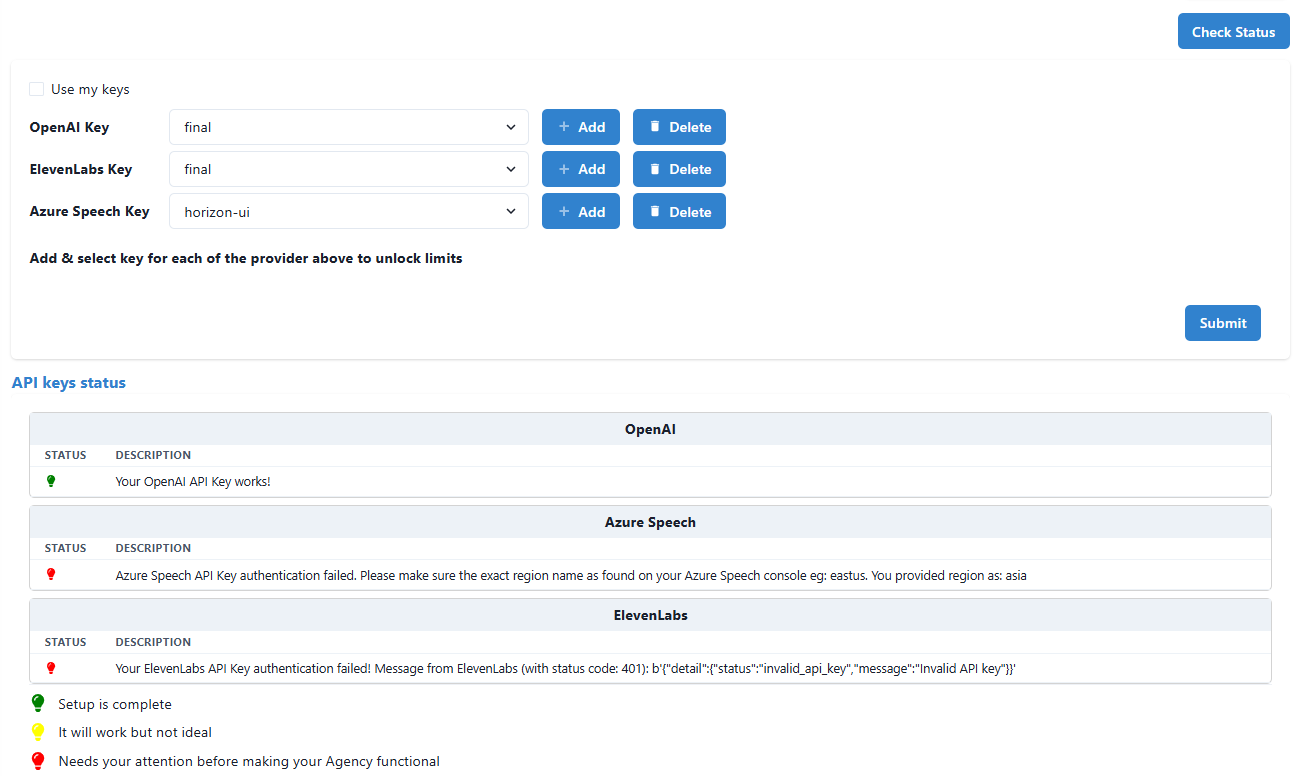
- View Success and Error Indicators
“OpenAI Key Validated Successfully” (shown in green) ❌ Error Example:
“Azure Key Invalid – Please check and re-enter” (shown in red)
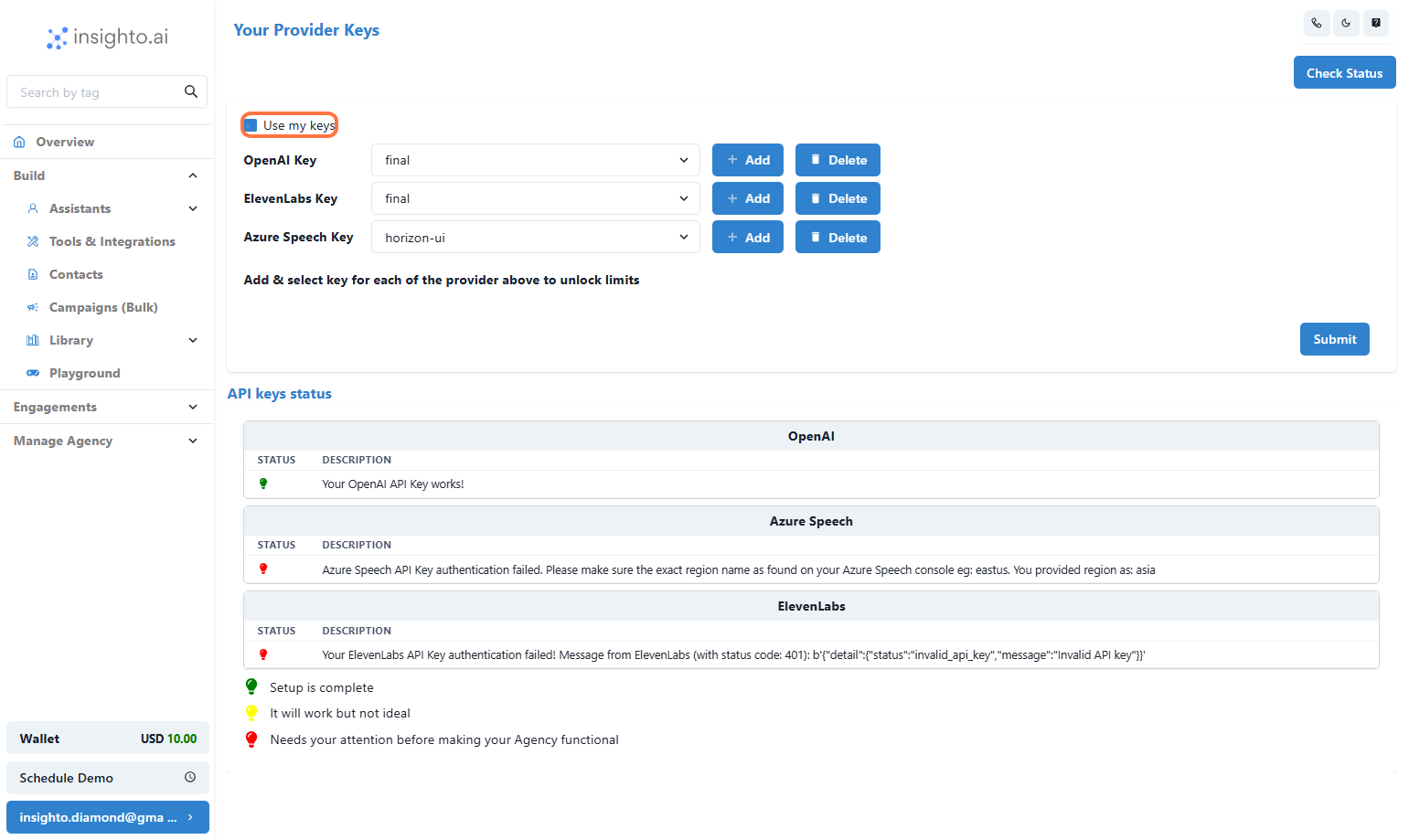
- Enable BYOK for Your Account
This tells Insighto to use your keys instead of platform credits for all processing.